Community / Knowledge Sharing · Web App
Power Flow
A Stack Overflow-style Q&A platform built from scratch, with voting, tags, a rich text editor with code support, and a full user community with reputation and badges.

Challenge
A Q&A community site sounds simple until you actually build one. Users need to write questions and answers with formatted text and real code blocks, not just plain paragraphs. Every question needs voting, tags, and search that actually works. And none of it matters if people can't sign in easily or find their own questions again later. The goal was to build all of that from scratch, without cutting corners on the details that make a site like Stack Overflow feel trustworthy: reputation, saved questions, and a real user community.
Solution
I built Power Flow with Next.js, Tailwind CSS, and MongoDB, with Clerk handling sign-in through GitHub, Google, or email. Every question and answer goes through a rich text editor with code formatting, so technical answers actually look like technical answers. On top of that, I built a full voting system, a tag and search system, a "Saved Questions" collection users can build up over time, a Community page listing every user, and a profile page with reputation stats and badges, so the platform feels like a real community, not just a form connected to a database.
Project Overview
Power Flow is a full-stack Q&A platform that works like Stack Overflow: users ask questions, post answers, vote on the best ones, and build a reputation over time.
I built it end to end with Next.js, Tailwind CSS, and MongoDB, to show what a real, working community platform looks like beyond a simple CRUD app, complete with authentication, rich text answers, and a genuine sense of "who's here."
The Home Feed
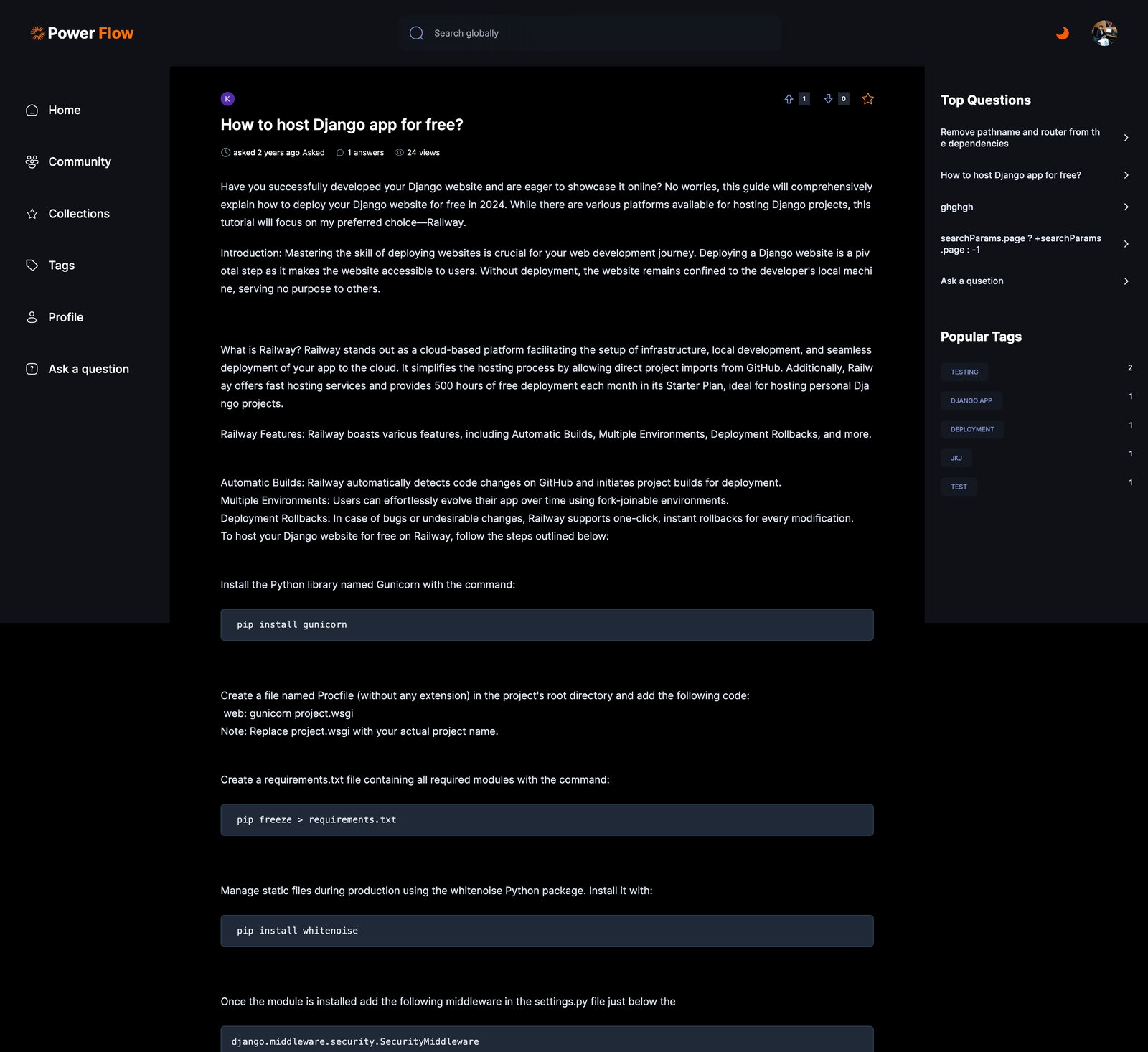
The homepage is the "All Questions" feed: a search bar, filter tabs (Newest, Recommended, Frequent, Unanswered), and a card for every question showing its tags, author, age, vote count, answer count, and view count at a glance.
A right-hand sidebar keeps "Top Questions" and "Popular Tags" visible at all times, so the most active parts of the community are never more than a click away.
Asking A Question
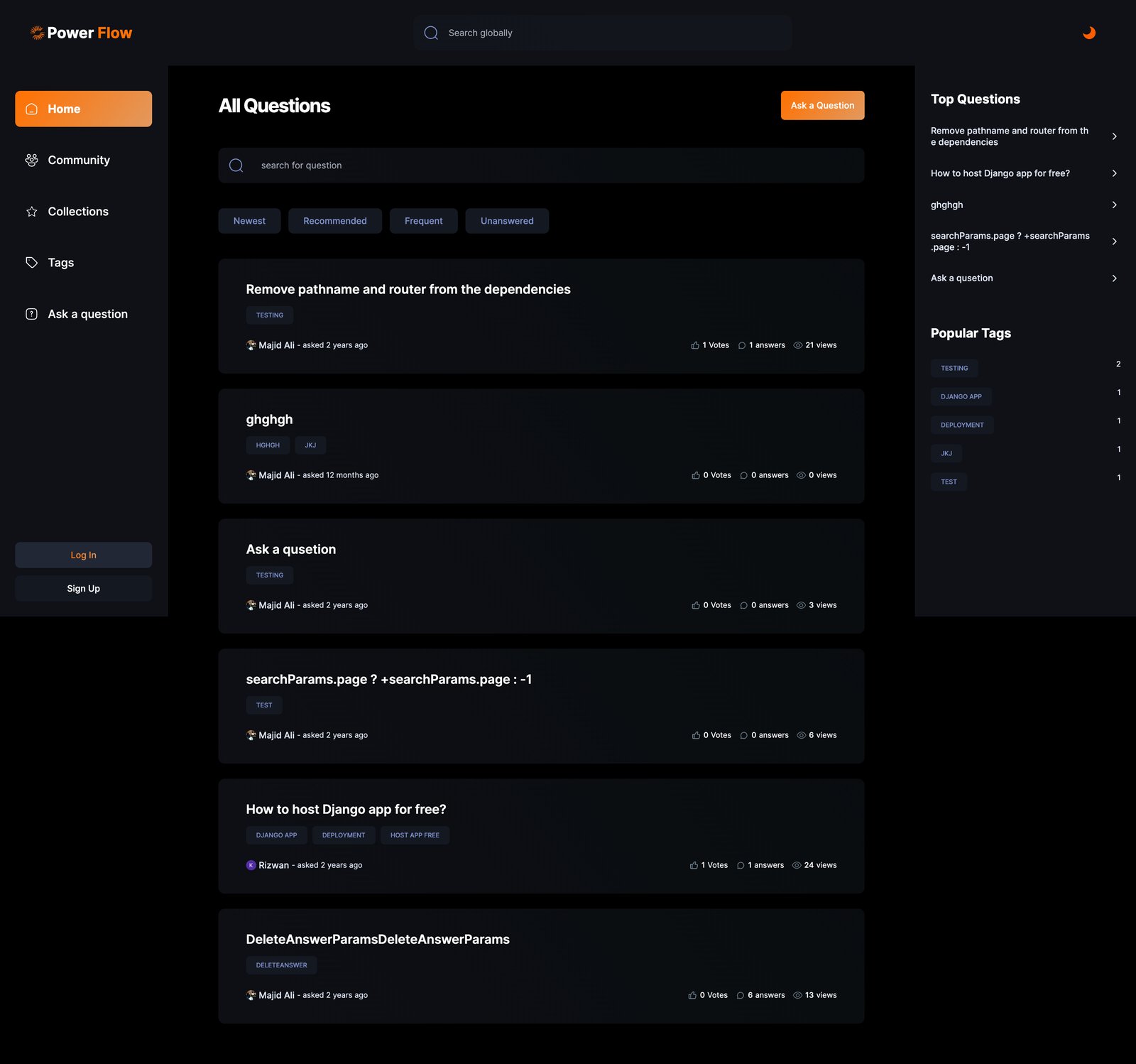
Posting a question uses the same rich text editor throughout the platform: bold, italics, alignment, lists, and inline code, all inside a clean, distraction-free form.
Every question requires a clear title, a real explanation (with a 20-character minimum so nobody posts a one-line question and expects a real answer), and up to three tags to describe what it's about.
Answering With Real Code
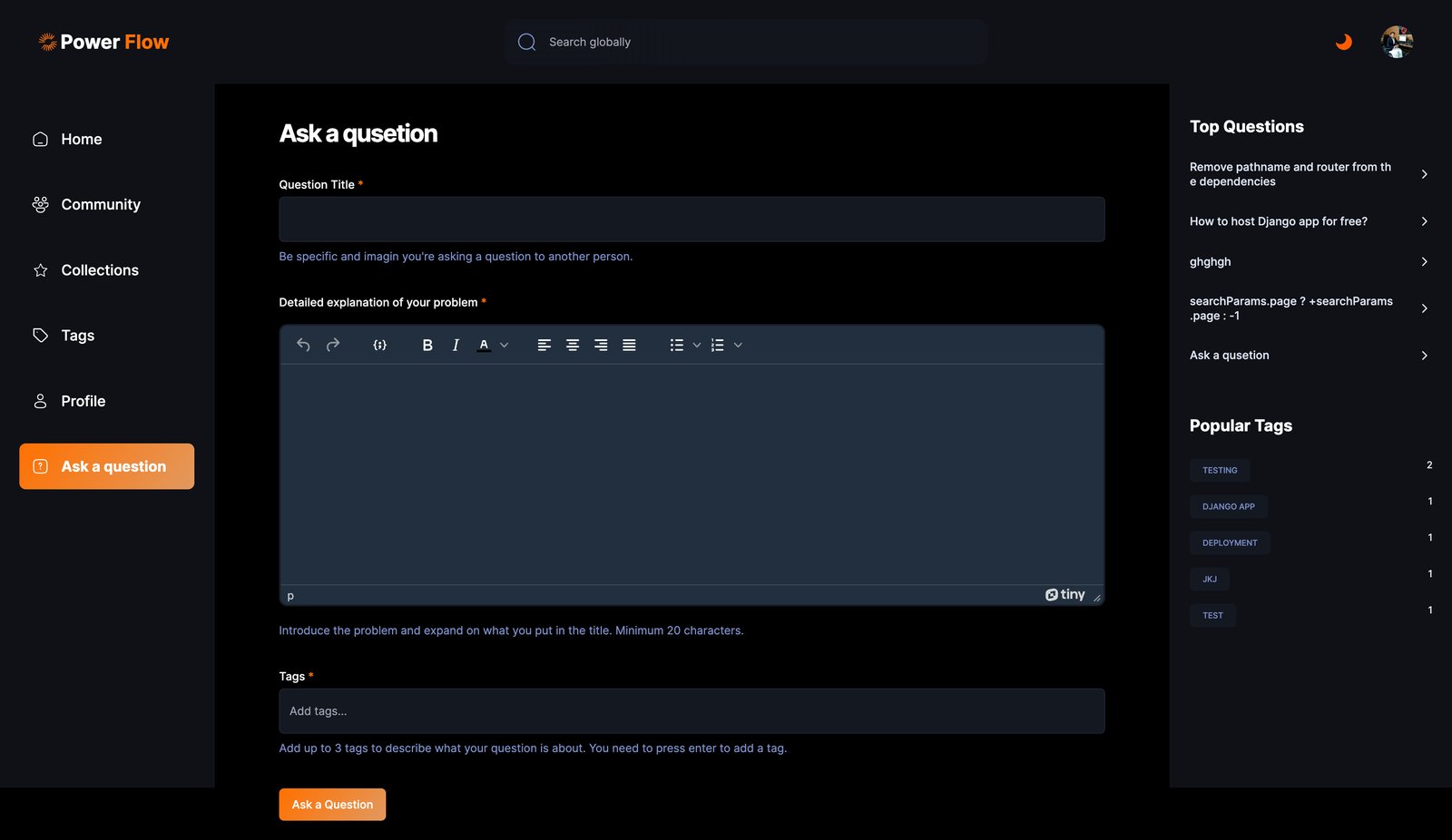
This is where the rich text editor earns its place. Answers can include fully formatted code blocks, not just walls of plain text, so a technical answer actually reads like one.
The question page itself shows the full voting UI (upvote, downvote, and a save/bookmark star), the answer count, view count, and a filterable list of answers underneath, with the same rich text editor ready for the next person to reply.
Finding People, Not Just Posts
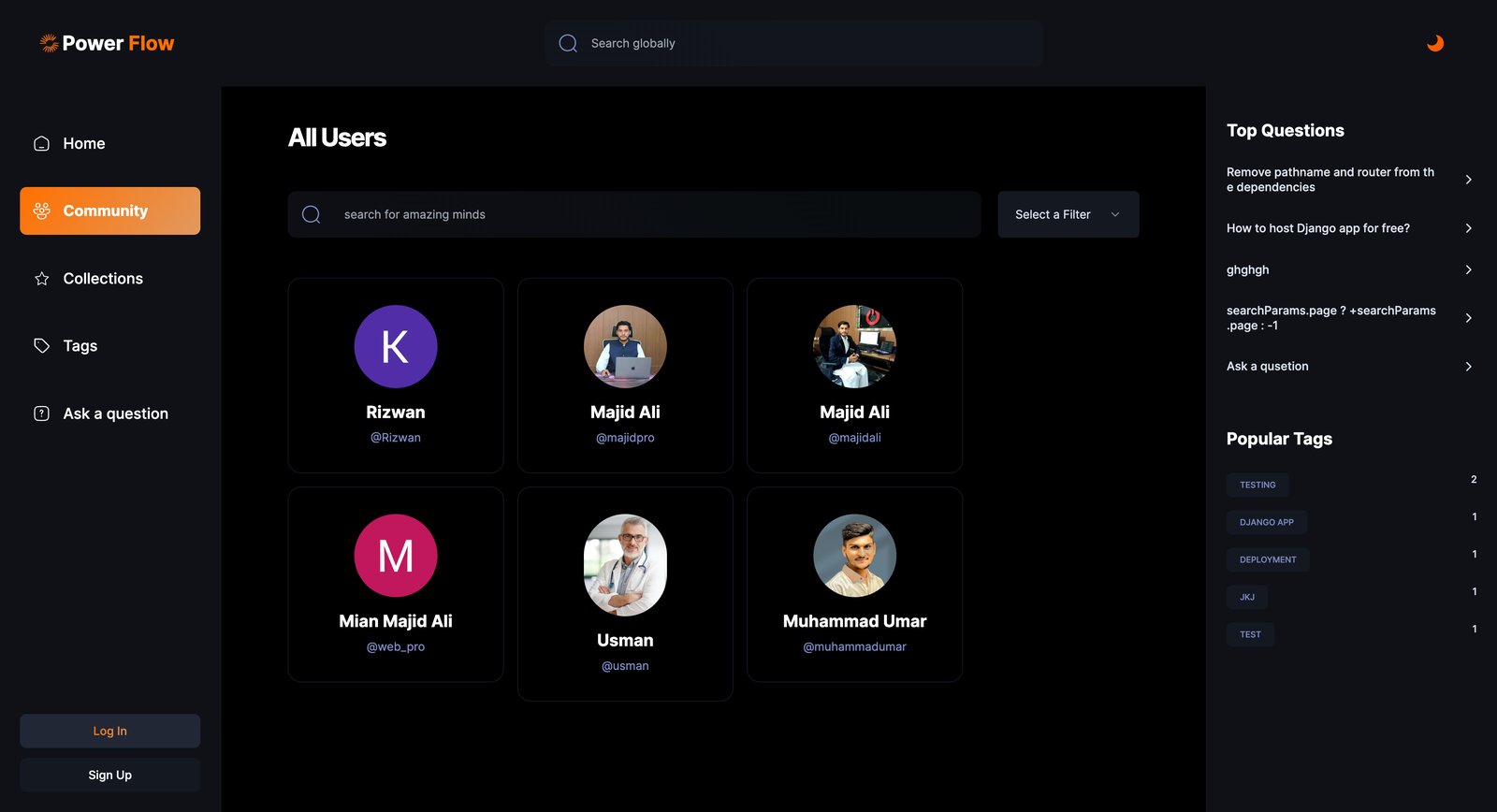
A Q&A site is still a community, so Power Flow includes a dedicated "Community" page listing every registered user with a searchable, filterable directory, not just an anonymous stream of posts.
Alongside that, a "Saved Questions" collection lets any signed-in user bookmark questions to revisit later, complete with a friendly empty state that nudges first-time visitors to ask their own question instead of leaving with nothing.
Signing In Without Friction
Authentication runs through Clerk, giving users a choice between GitHub, Google, or a plain email and username, all from one clean sign-in screen.
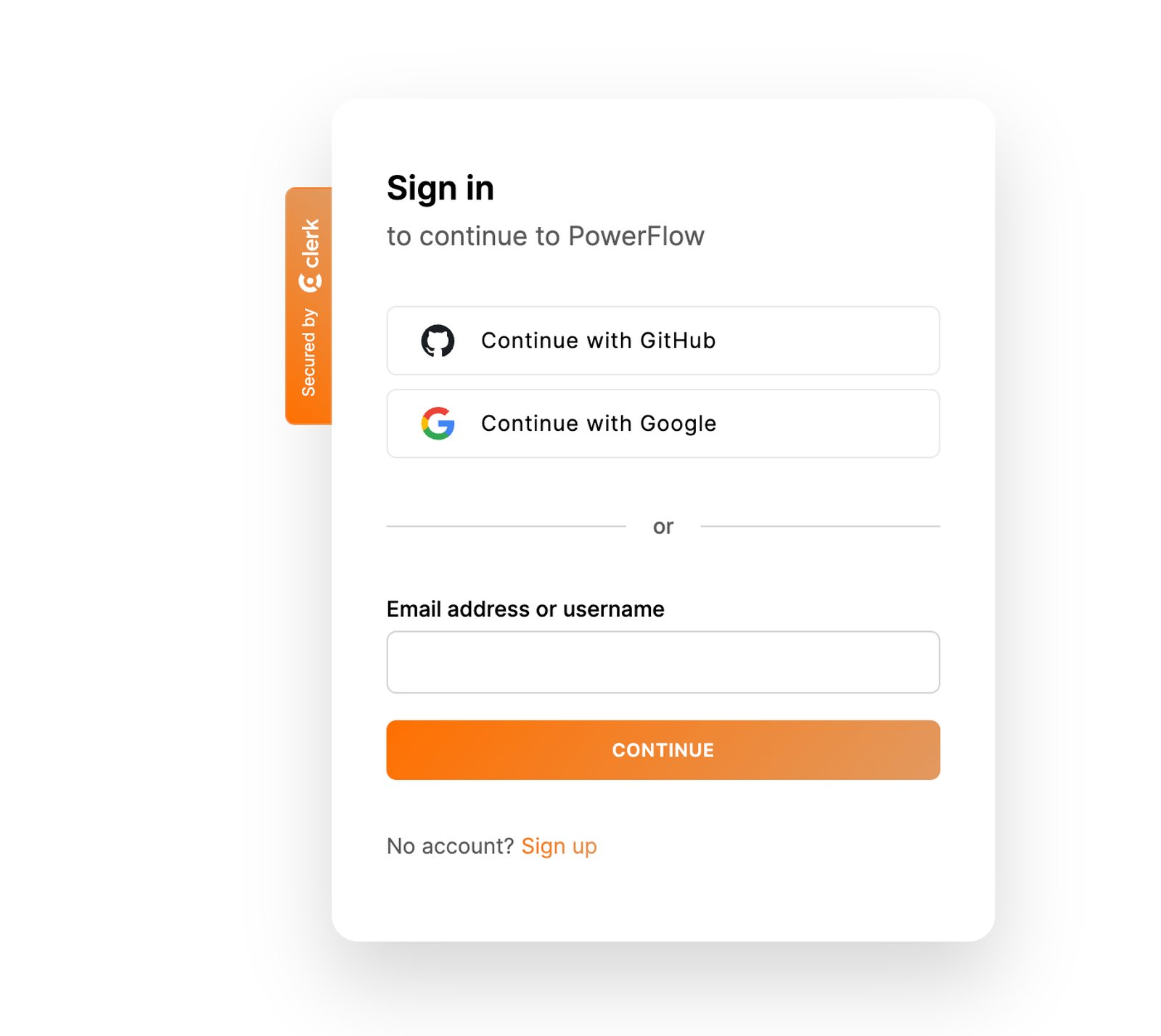
Handling auth this way meant I could focus my own build time on the actual Q&A features instead of re-building password resets and session handling from scratch.
Reputation, Badges, And Profiles
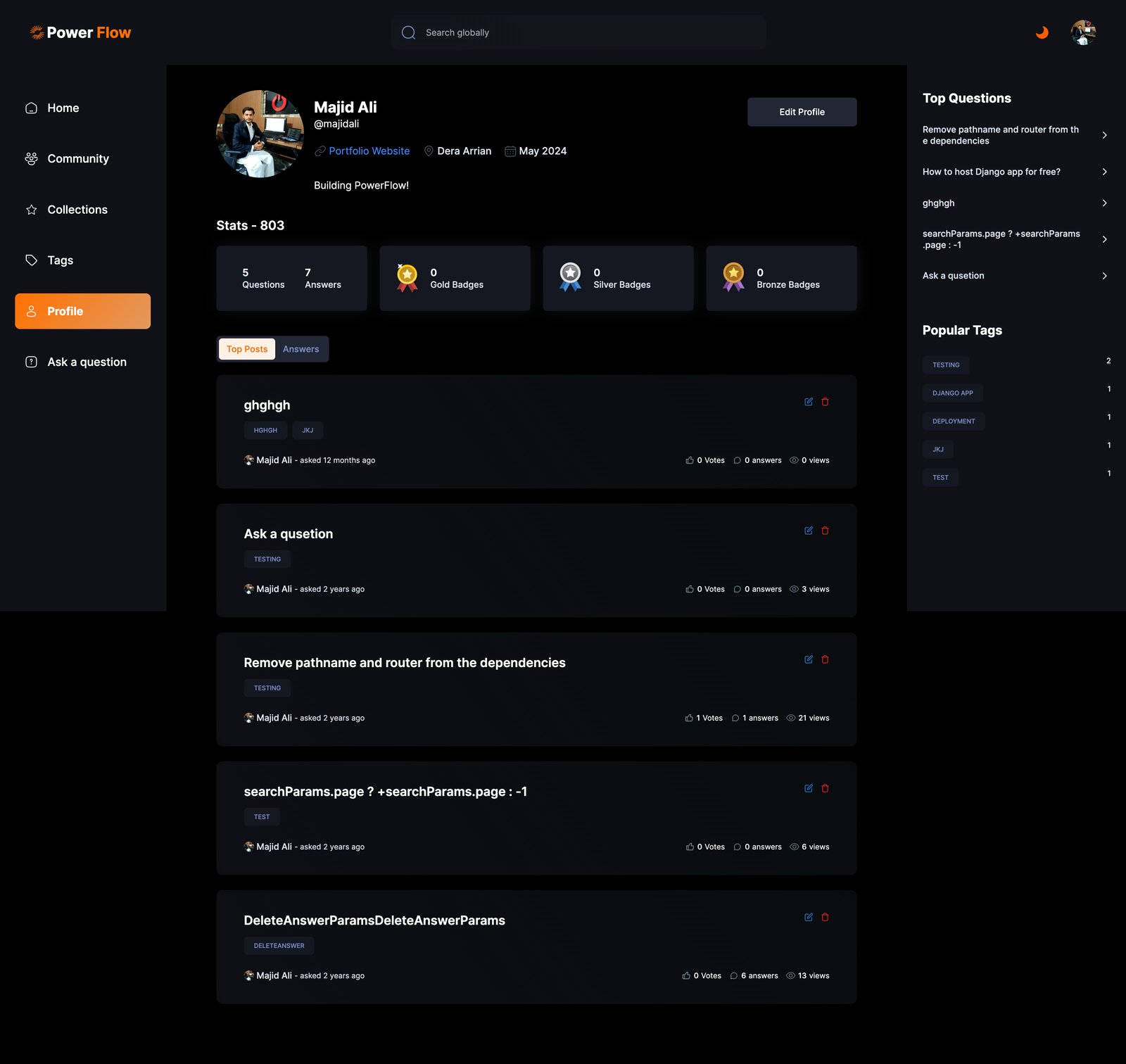
Every user gets a real profile: an avatar, bio, join date, location, and a running reputation score built from their questions and answers. Gold, silver, and bronze badge counters are ready to reward consistent contributors as the community grows.
A "Top Posts" and "Answers" tab lets any visitor review a user's history, and on your own profile, every post includes quick edit and delete controls.
Content Structure
The platform is built to keep growing as more users join.
The app includes clear sections for:
- Questions and answers
- Voting and reputation
- Tags and topic browsing
- Saved questions (collections)
- Community and user profiles
- Authentication and account settings
This structure means new features, like comments or notifications, can be added without reworking the core data model.
The Result
The final platform is a working Q&A community, not just a demo of CRUD operations. Users can ask real questions, get real formatted answers with code, vote on quality, and build a reputation over time.
It's a good showcase of what "full-stack" actually means in practice: a database schema that supports voting and tagging, an editor that handles code correctly, authentication that doesn't get in the way, and a UI that makes all of it feel like one coherent product instead of a pile of features.
Key Takeaways
This project pushed me to think past "does the feature work" and into "does this feel like a real community." Voting, reputation, saved questions, and user profiles are what turn a basic form into something people actually want to come back to.
For Power Flow, that meant building the unglamorous parts, permissions, edit and delete controls, empty states, tag pagination, just as carefully as the parts that show up in a demo video.
Results
- Built a full voting system for questions and answers, with reputation points tracked per user.
- Added a rich text editor with code block support, so technical answers render as clearly as the question.
- Connected sign-in to GitHub, Google, and email through Clerk, so joining takes one click.
- Built a "Saved Questions" collection so users can bookmark questions to come back to later.
- Added a Community page listing every user, plus individual profile pages with stats, badges, and post history.
- Built a tag system with a searchable, paginated "All Tags" directory so users can browse by topic.
- Delivered a fast, fully responsive Next.js app with a polished dark-mode interface throughout.