
Developer Tools / Software Architecture · AI Web App
Ghost AI
A collaborative platform that turns a plain-English description into a real system architecture diagram, lets teams edit it together in real time, and generates technical documentation from the finished design.

Challenge
Designing software architecture usually means bouncing between a whiteboard, a diagramming tool, and a separate doc for writing everything up afterward. Every time the design changes, someone has to remember to update the documentation, and that step gets skipped or delayed more often than not. Existing diagram tools let teams draw together, but none of them help generate the architecture in the first place or turn the finished diagram into real documentation.
Solution
I built Ghost AI as one workspace that covers the whole flow: describe a system in plain English and AI drafts the services, databases, and connections directly on a shared canvas. Teams edit that canvas together in real time, and one click turns the finished diagram into a structured Markdown spec, so the documentation is generated from the actual design instead of written separately and left to go stale.
Project Overview
Ghost AI is a platform I built for designing and documenting software architecture in one place.
The idea was to make architecture planning easier for developers and teams. Instead of creating a diagram in one tool, discussing it somewhere else, and then writing the technical documentation separately, users can do all of that inside the same workspace.
A user can describe an architecture in plain English, generate it on a canvas with AI, make changes manually, collaborate with other team members, and then turn the finished diagram into a technical specification.
I built the application with Next.js and worked across the AI generation, architecture canvas, real-time collaboration, authentication, sharing, and documentation features.
Getting Into The Workspace
The sign-in page is also the first introduction to the product.
It explains the main features of Ghost AI while keeping the login process simple.
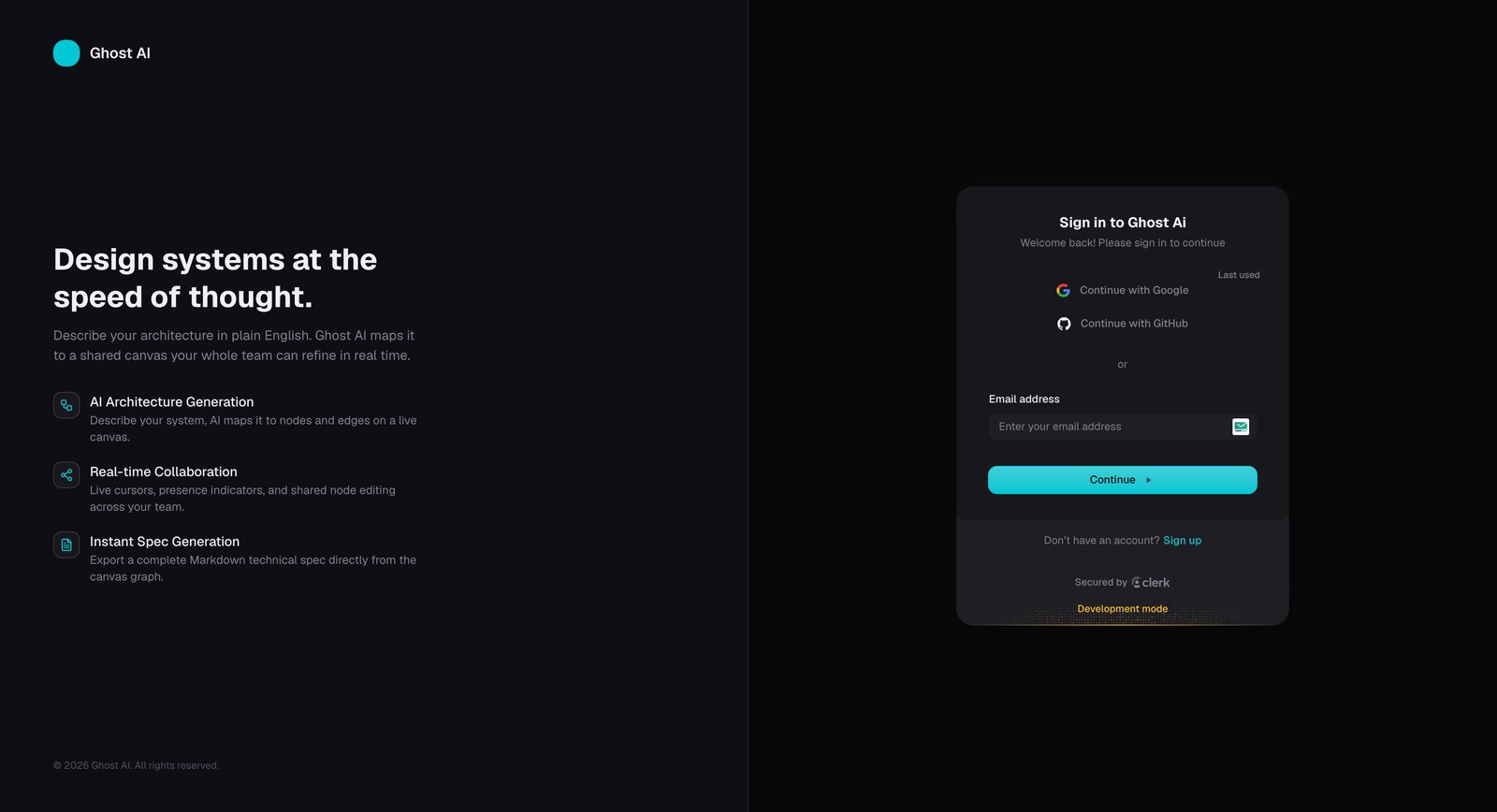
Authentication is handled through Clerk, with Google, GitHub, and email sign-in available.
Once a user signs in, they can create a project and start working on an architecture.
Creating An Architecture With AI
The main feature is the AI workspace.
Instead of manually creating every service and connection, a user can describe what they want to build in normal language.
For example, they can write something like:
“Design an e-commerce backend.”
Ghost AI then turns that description into an architecture on the canvas, including services, databases, and the connections between them.
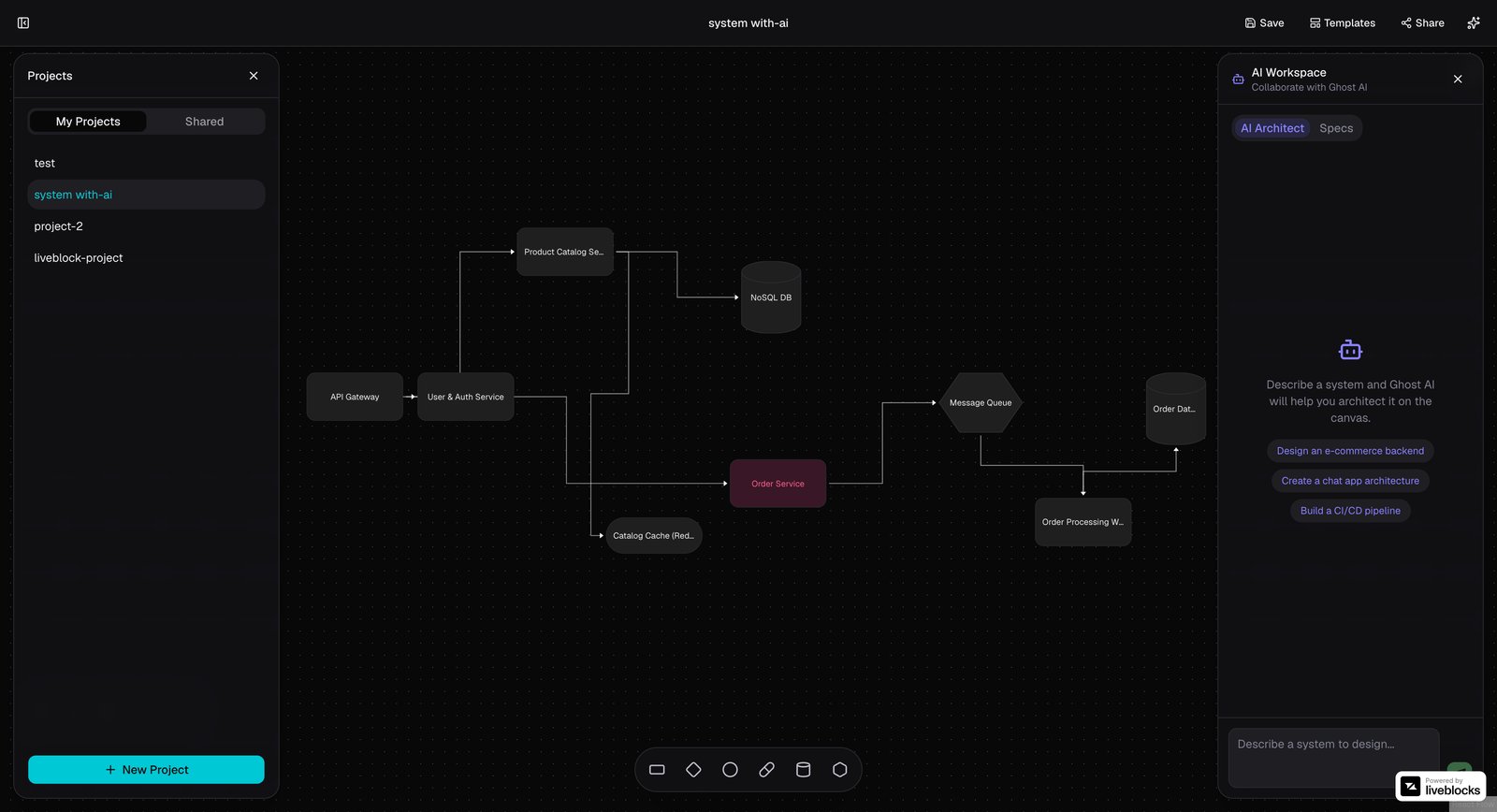
I also added suggested prompts so users can try the feature without having to figure out what to type first.
Once an architecture has been generated, the same workspace can be used to work with its technical specification.
Starting With Templates
AI isn't always the fastest way to start, especially when the architecture is based on a common pattern.
Ghost AI includes ready-made templates for common system designs, including:
- Microservices
- CI/CD Pipeline
- Event-Driven System
- Three-Tier Web App
- SaaS Multi-Tenant Backend
- Realtime Messaging System
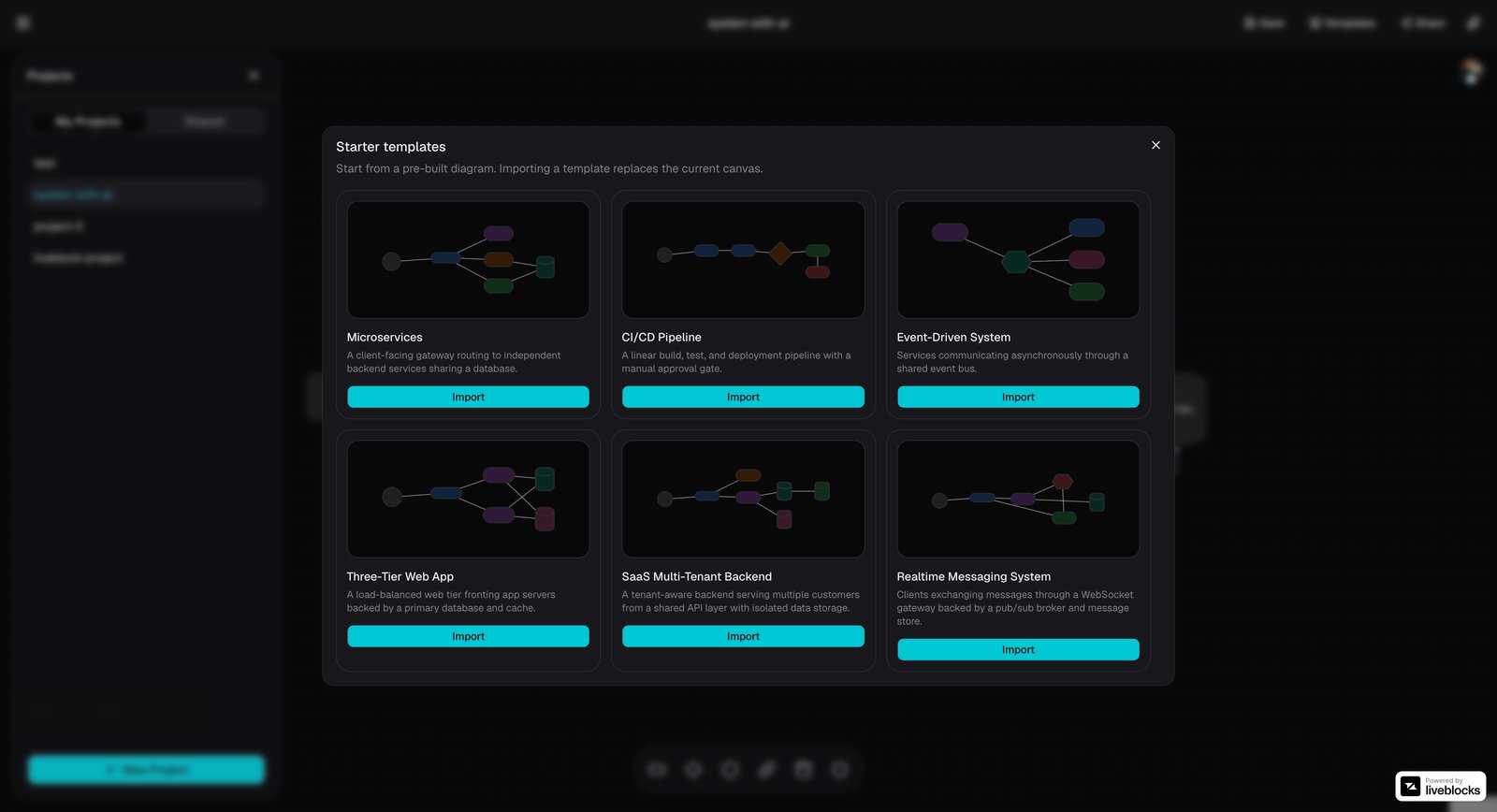
A user can select a template and import it directly into the canvas, then modify it according to their project instead of starting from an empty screen.
The Architecture Canvas
The canvas is where most of the actual work happens.
I used React Flow to build the architecture editor, so users can move nodes around, create connections, and add their own components manually.
This was important because AI shouldn't lock the user into whatever it generates. The generated architecture is just a starting point. Developers can change it, remove services, add new ones, or adjust the connections themselves.
Projects are organized in the sidebar, with separate areas for personal and shared projects so users can move between architectures without losing their work.
Working Together In Real Time
Ghost AI also supports real-time collaboration.
I used Liveblocks to synchronize canvas changes between users. When multiple people are working on the same project, changes are reflected for everyone instead of each person working on a separate copy.
The sharing system also allows project owners to invite other people and control their access.
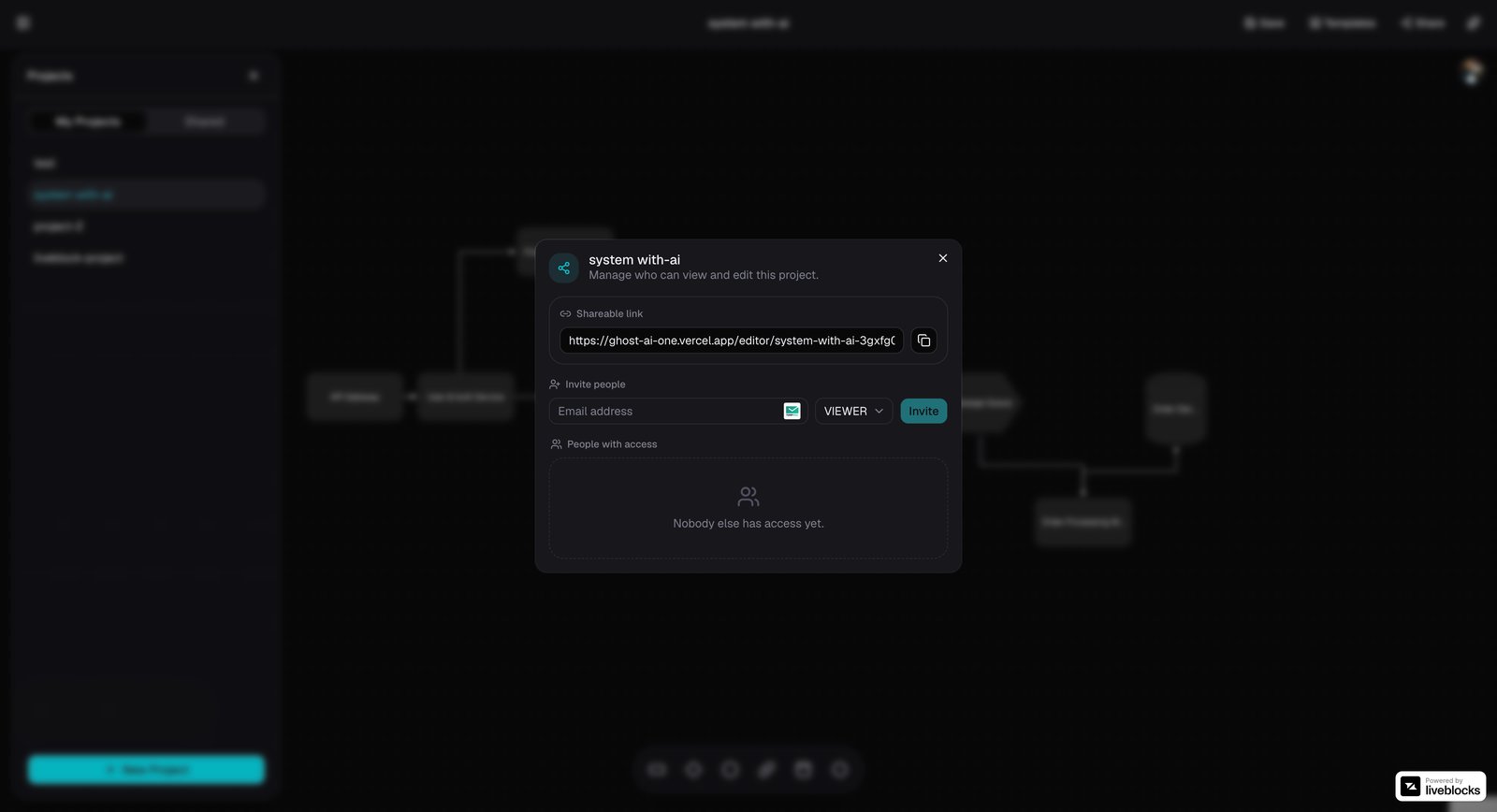
A project can be shared through a link or by inviting someone through email, with permissions such as Viewer access.
This makes the canvas useful for architecture reviews where developers, technical leads, or other team members need to look at the same design.
Turning The Diagram Into Documentation
One feature I found particularly useful was generating documentation from the architecture itself.
Once the diagram is ready, Ghost AI can generate a Markdown technical specification from the current canvas.
The generated document describes the architecture based on the services and connections that are actually present in the project.
This avoids having to create the diagram first and then manually write a separate document explaining the same thing.
The generated specifications are saved with the project and can also be downloaded when needed.
Keeping Everything Around The Project
Ghost AI is structured around projects.
Each project contains its architecture, AI-generated content, templates, collaborators, and generated documentation.
The main areas include:
- Project management
- AI architecture generation
- Architecture canvas
- Ready-made templates
- Real-time collaboration
- Project sharing
- Access control
- Technical specification generation
Keeping these features connected to the project makes it easier for a team to work on an architecture from the first idea through to the final documentation.
The Result
Ghost AI brings architecture planning, collaboration, and documentation into one application.
A developer can start with a simple idea, use AI to create the first version of the architecture, adjust it on the canvas, invite teammates to review it, and generate technical documentation from the final design.
The interesting part of the project was making these different pieces work together. AI generation had to create data that could be edited on the canvas, canvas changes had to stay synchronized between users, and the documentation needed to reflect the current architecture rather than an older version.
That required treating the AI, canvas, collaboration, and project data as connected parts of the same application instead of building them as completely separate features.
Tech Stack
- Frontend: Next.js, React, TypeScript
- Canvas: React Flow
- AI: AI-powered architecture generation
- Authentication: Clerk
- Real-Time Collaboration: Liveblocks
- Documentation: Markdown generation
- Styling: Tailwind CSS
Results
- Replaced whiteboard-then-diagram-tool-then-doc workflows with one shared canvas that covers design, collaboration, and documentation.
- Built AI architecture generation that turns a plain-English prompt into services, databases, and connections directly on the canvas.
- Added 6 ready-made system design templates (Microservices, CI/CD Pipeline, Event-Driven System, and more) so teams don't start from a blank canvas.
- Implemented real-time multiplayer editing with Liveblocks, so every change appears instantly for every collaborator on the canvas.
- Built one-click Markdown specification generation, so documentation is always generated from the current design instead of written separately.
- Added project sharing with invite-by-email and role-based access, so architecture reviews don't require exporting screenshots.
- Delivered a full authentication and project management system with Clerk, so every workspace is private and access-controlled by default.


